Web Clipper to Apple Notes v1.2: Choose the Right Notes Folder
Web Clipper to Apple Notes v1.2.0 is out with folder selection. You can now choose the Apple Notes folder for each web clip from the browser extension popup, including iCloud and On My Mac folders. Clips land where you expect them, without a cleanup pass in Notes later.
Choose an Apple Notes folder before you clip
Web Clipper already made it quick to save selected text, links, and page details from your browser to Apple Notes. The weak spot was organization: every clip went to the default Notes folder. Research, recipes, project notes, and reading highlights all needed to be moved by hand.
Version 1.2.0 fixes that. Open the extension, choose a folder, and save the clip. Your choice stays selected until you change it.
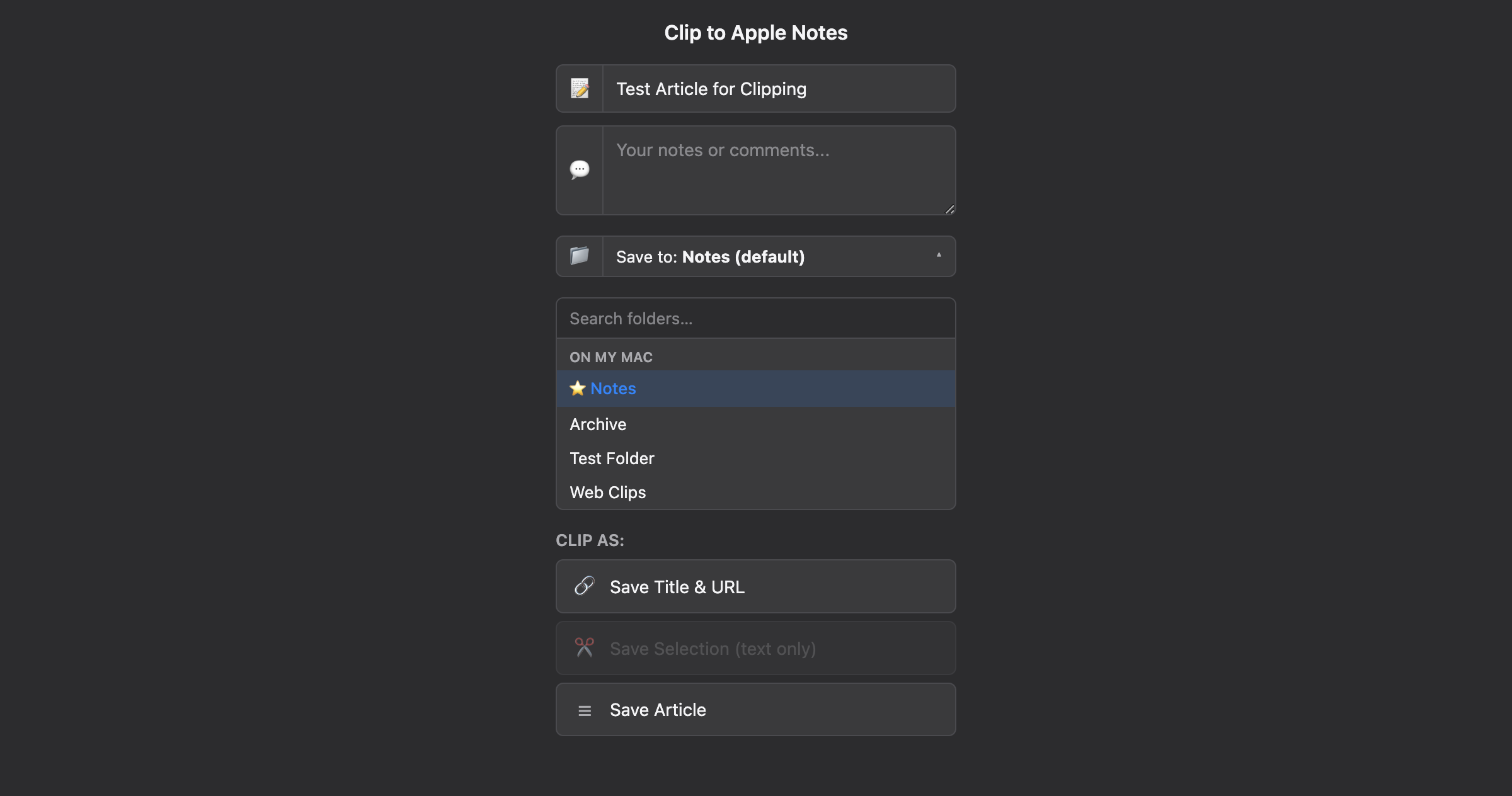
The folder picker lists unlocked folders across Apple Notes accounts, so you can send clips to either iCloud or On My Mac. If you delete the selected folder later, the Mac bridge app falls back to the default folder instead of blocking the clip.
Folder search and keyboard navigation
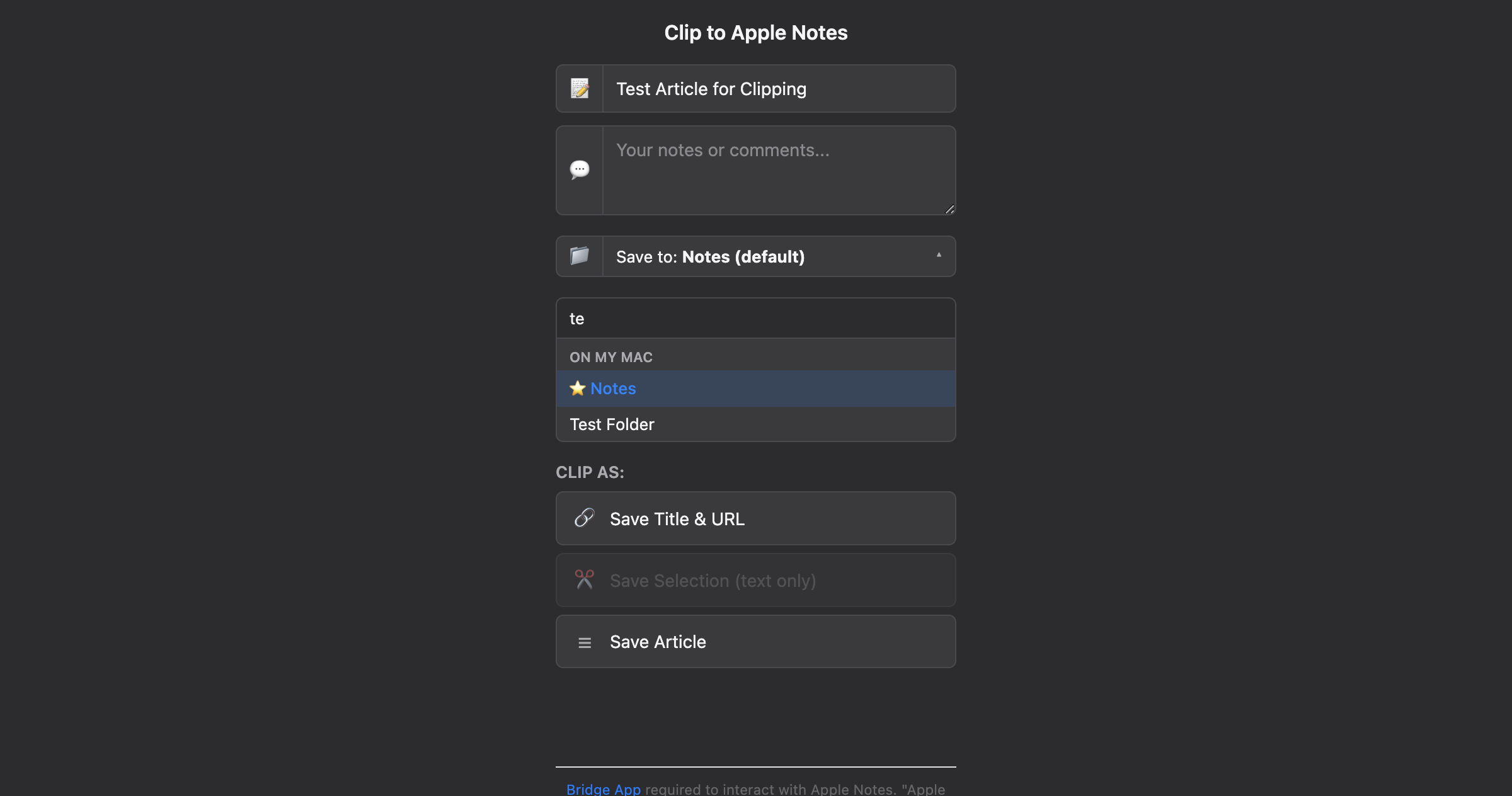
The picker is built for people with more than a handful of folders. Type part of a folder name to filter the list, then use the arrow keys and Enter to choose it. Mouse selection still works, but you do not need to leave the keyboard when you are clipping several pages in a row.
In v1.2.0, the folder picker:
- Shows unlocked iCloud and On My Mac folders from Apple Notes
- Filters folders as you type
- Supports arrow-key navigation and Enter to select
- Remembers your selected folder across browser sessions
- Falls back to the default Notes folder if the saved folder no longer exists
The comments field has a clearer name
The clipper sidebar used to label your added text as "My notes." That was easy to confuse with Apple Notes itself. In this release, the field is called "My comments," which better describes how it is used when you annotate a clipped page.
Local-first clipping, same privacy model
The browser extension talks to the Web Clipper bridge app on your Mac. The bridge reads your Apple Notes folders through AppleScript, caches the folder list for five minutes, and creates the new note inside the folder you selected.
Your clips stay local. There is no AVRHut account, no cloud relay, and no clip content sent to our servers.
Download Web Clipper to Apple Notes v1.2
Download the latest version of Web Clipper to Apple Notes for Mac. The bridge app auto-updates, and your Chrome or Firefox extension will pick up the new version automatically.
Download Web Clipper | Read the Web Clipper docs
If you run into anything, email us at [email protected].
Web Clipper is part of the AVRHut toolkit: small, focused utilities that help you organize, back up, and simplify your digital life.